Welcome to my blog

Welcome and thank you for visiting my blog....

This is where I will pen my thoughts on Enterprise Mobility and other wireless technologies based on my learning’s/ experience over the course of my IT career.

The wireless world has been a very exciting place to be over the last few years. We have seen the introduction of ground breaking products and technologies have reached a never-before-seen level of maturity. The rate of enterprise adaptation to wireless technology is only accelerating day by day.

This is a personal blog and will focus on my thoughts and perspectives on wireless technology. Please feel free to share your opinions and viewpoints so that it can be discussed and debated. Though I would like to, I won't be able to post to this blog each day. Will try my best to write whenever I get time.

I hope that you will return often to this blog. Thanks again.

Sunday, May 29, 2011

Mobile Web Next Big thing : What are the choices?

If you are serious about getting your website or web application mobile-friendly, the easiest, fastest and proven method is to start with a mobile application framework. Similar to programming frameworks like cakePHP, Zend Framework, mobile frameworks provide you with handy tools to automate many of the tedious tasks associated with mobile web development.


Most of the mobile frameworks consist of cross-browser consistent user interface elements and widgets,abstraction of boilerplate coding and wrappers for accessing native mobile OS functionalities.

And the best thing is that these frameworks allow you to use web technologies that you are already familiar with HTML5, CSS3 and JavaScript.

The choice of a mobile application framework will ultimately depend on your requirements, but this review of popular mobile application frameworks provides some useful tips to consider while selection a mobile development framework.

• Avoid platform specific frameworks: Developing solely for say iPhone is going to restrict your reach to other mobile devices (iPhone US market share is only 27%). Instead opt for a framework that can be used across a wide range of mobile OS.

• Choose a lightweight framework: Internet availability on mobile phone is extremely prone to slow connectivity or latency issues. You should consider a framework that generates optimized code/graphics, supports some level of caching and makes use of local storage.

• Leverage your existing web development skills: Stay away from frameworks that require you to learn a new language unless you have a specific reason to do so.

mobl

mobl is a new free and open source language designed specially to speed up building mobile applications. Using modern HTML5 technologies, mobl offers you a concise language to built native-feeling web apps that can be deployed on several platforms including iOS and Android. It borrows its syntax from JavaScript and its compiler automatically generate the related JavaScript and HTML files that can be then hosted to a web host.


Sencha Touch

Sencha Touch was one of the first true frameworks released for mobile web development. It allows you to develop mobile web apps that look and feel native on iPhone, Android, and BlackBerry touch devices. It does so by leveraging technologies like HTML5, CSS3, and Javascript for the highest level of power, flexibility, and optimization. Sencha Touch is compatible with PhoneGap and this will enable you to distribute your application on the Apple App Store or Android Marketplace.


ChocolateChip

ChocolateChip is a lightweight JavaScript library aimed at developing web applications for mobile devices. It does so by allowing you to code using a special markup language called WAML (Web App Markup Language) that drives semantic meaning to your applications. Several custom tags and attributes provide you with a quicker way to create powerful and highly responsive UI including widgets, controls and buttons. It also has built-in support for AJAX, LocalStorage and SVG images. ChocolateChip is still in beta version and currently works on Webkit-based browsers only.


The-M-Project

The-M-Project is an HTML5 and JavaScript framework for developing cross-platform mobile apps. It comprises of JQuery mobile UI and core files along with build tool called Espresso which is in turn based on NodeJS. It has support for offline data (automatic cache manifest generation), internationalization and locate/remote storage. In addition, it can be integrated with the Cloud9 IDE. The-M-Project is still in alpha stage but the development roadmap looks very promising.


PhoneGap

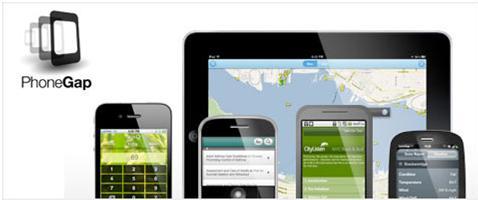
PhoneGap takes a different approach to mobile web development. On the top of being an HTML5 app platform, it also allows you to author native application with normal technologies and get access to mobile OS's API and app stores â€" best of all, it has support for multiple platforms including iOS, BlackBerry OS, Windows Mobile, Android, Palm and Symbian OS. Some of the native features you can access (varies depending on platform) includes accelerometer, camera, compass, storage, geo location, sound notification and address book.


DHTMLX Touch

DHTMLX Touch is an HTML5-based JavaScript library for building mobile web applications. It's not just a set of UI widgets, but a complete framework that allows you to create eye-catching, cross-platform web applications for mobile and touchscreen devices. By using a fair choice of available UI elements, you can build interactive mobile apps for business or entertainment.

Applitude

Applitude is a runtime framework and a domain specific language (DSL) for iPhone application development. This language is made-to-measure to express iPhone apps, so instead of keywords like if, then, while it has keywords like contentprovider, tableview or cell. Applitude is a developer tool and as such, a good knowledge of iPhone development in Objective C is required.


Jo

Jo is an HTML5 mobile app framework that sports a pretty UI widget framework that allow you to manipulate DOM elements, events and data stuff. It works across different mobile platforms unlike other frameworks doesn't use a lot of resources. If you want to jam an existing web page into an application framework, jo probably isn't for you. jo is designed to create applications.


jQTouch

jQTouch is a jQuery plugin for mobile web development mostly geared towards the iPhone, iPod Touch and other forward-thinking devices. It provides a great framework for creating powerful mobile apps with just HTML, CSS and jQuery. It has native animations, automatic navigation and themes support.


jQuery Mobile

jQuery Mobile, touted as a touch-optimized Web framework for smartphones and tablets. Built on the top of jQuery and jQuery UI code, it provides a unified user interface across all major mobile device platforms. The code in itself is lightweight (12Kb compressed), flexible and supports a themeable design. Query Mobile makes use of several HTML5 and CSS3 features and if a mobile browser doesn't support some of these features yet, it will degrade gracefully without affecting the user experience.


baseJS

baseJS is a lightweight JavaScript framework intended for use with Mobile Safari on the iPhone and iPod Touch; it also works with Firefox and all WebKit-based browsers. By providing shortcuts and reusable methods, baseJS helps you write code to be lightweight and extendable perfect for the mobile web.


Rhomobile

Rhomobile is a set of products primary meant for managing enterprise-level mobile apps and data. Rhomobile uses the power and productivity of web technology and the cloud to allow enterprises to more easily develop, distribute, deploy and manage native smartphone apps and data. The downside is that Rhomobile requires some knowledge of Ruby â€" could be an adoption pain if you've never worked with Ruby before.


Kurogo

Kurogo is a PHP framework for delivering high quality, data driven customizable content to a wide range of mobile devices. Its strengths lie in the customizable system that allows you to adapt content from a variety of sources and easily present that to mobile devices from feature phones, to early generation smart phones, to modern devices and tablets.The mobile web component exists as a based web application served using PHP. This application is hosted on a web server and users access it using the web browser on their mobile device.


Wink Toolkit

Wink Toolkit is a lightweight JavaScript toolkit which will help you build great mobile web apps. It is designed and developed to meet the specific constraints of the mobile environment. The toolkit's core offers all the basic functionalities a mobile developer would need from touch event handling to DOM manipulation objects or CSS transforms utilities. Additionally, it offers a wide range of UI components are offered to help you improve the look and feel of a web app, or simply to experiment with new user interactions.


Unify

Unify makes use of HTML5, CSS3 and JavaScript to create native-like applications for smartphones, tables and desktops. It also has a few dependencies like Sass Adobe Air and PhoneGap. A typical end user should not be able to distinguish an application built with Unify from a natively programmed application.


Source: http://www.articlediary.com/article/review-of-mobile-web-application-frameworks-909.html

Friday, April 22, 2011

Shape your IT with Mobile and Cloud computing

There’s been a lot of talk about cloud computing, and mobility has been in the news for years. But apps and an enterprise app store are going to bring it all together to remake the face of IT.

Cloud Computing
Cloud computing is a method for delivering computing resource. Its principal attributes are outsourced management, ubiquitous access and elasticity.
• Outsourced management allows us to obtain the use of software without having to deal with installing it, maintaining it, or managing the associated databases.
• Ubiquitous access means we can use the Internet to get to our software and data. Anywhere you can get access to the Internet, you can get access to your cloud computing application.
• Elasticity means we don’t have to worry about technology sizing. We don’t have to buy a server that will accommodate our peak demand, which maybe occurs only when the last Friday of a quarter corresponds to a full moon. Instead, we just use the resource we need, and we pay only for the resource we use. This is a very fair approach, and CFO’s love it.
Mobility
Mobility is one of those things that has snuck up on us. It started with mobile phones, then texting and mobile email, and now it’s gotten to the point where you can do anything just about anywhere. And if you think about it, that’s where things started in the first place. Before we got to the point of using computer systems, we relied on what we carried around with us to get our jobs done. We could move around freely to meet with customers and co-workers in the most appropriate environment for the job we needed to do. The idea that we should have to retreat to a single “corporate” location to find relevant data is an artificial creation of a time when computers were too bulky to carry around. The new reliance on portable computers and hand-held devices is just a return to where we started. We’ve thrown off the shackles of our behemoth computing captors and returned to a world where location is determined by our task — not by our limited access to data.
Apps
There’s a huge difference between an app and a traditional software application — particularly a Windows application:
• Apps can be self-installed in a few minutes by a novice. Traditional applications require lots of steps, the answers to a number of unanswerable technical questions, and often a restart of your computer system.
• Apps are intuitively easy to use. Applications require training and rote learning of arcane codes. That’s often because applications are more sophisticated than apps, but who came up with the stupid idea that an application has to be a swiss army knife and do hundreds of things when only a few things are really needed? Apps just do what’s needed; applications try to be adequate at everything and often end up being good at nothing.
• Apps automatically know how to get data from the principal data sources on your device. For example, apps which need address book or calendar information know how to get it. Traditional applications, on the other hand, require extensive configuration. You’ll have to be specific about telling your application exactly where to get data, even down to the directory where you’ve chosen to store it or the server where the data can be found.
• Apps can be installed without hurting other apps. Applications often interfere with other applications due to DLL overlaps and conflicting registry entries.
• Apps can be deinstalled without incident. Applications often leave behind old files and even software which will continue to haunt you when it conflicts with other applications you’ll later install.
Basically, apps are the new applications. They’re what applications should have been if we had been working in an environment which made apps possible.
Enterprise App Store
Anyone with a smart phone is familiar with the concept of an app store. You search for an app for a particular need, then buy it, download it and install it all in one easy step. An enterprise app store is just like the app store for a smart phone, except:
• The apps have gone through a selection and weeding-out process so that only the best and most appropriate business apps are available for your use.
• The store contains a mixture of generic and proprietary apps. The proprietary apps were designed, tailored, written or customized by people in your company to provide for the specific needs of your business. Those proprietary apps know how to access your corporate information and the cloud databases they use. And so when you use one of these proprietary apps, you’re actually updating the same corporate database that your company relies on for its day-to-day business.
• Access to the enterprise app store is secure, and only authorized employees are allowed to see certain apps. The apps you see in the store are restricted to those apps that make sense for your job and for your level of authorization within the company.
• There may be different versions of the same app. The version of the app you download will be determined by your job and level of authorization. For example, your app may let you look at your department, while your division vice-president’s app may let her look at the entire division.
Bringing It All Together
It you put all these things together — if you use cloud computing, mobility, apps and an enterprise app store — you can totally change the face of IT in your company. For starters, you have no need for a data center, since all of your data is stored in the cloud, and all of your applications are delivered through the Internet. Then you can drastically cut the size of your help desk, since you no longer have to worry about PC configuration issues for applications, and since apps are so much easier to use than traditional applications.
Of course, someone still has to develop the proprietary apps, but you’ll probably outsource most of that work. So the primary work of the IT organization will be:
• Strategic Technology Leadership — determining what ought to be done
• Systems Architecture and Integration — determining how corporate systems should look, breaking the requirements down into individual products, databases and apps, and then developing an overall approach for implementing what’s needed
• Project Management — leading projects for major technology initiatives
And yes, there will still be a need for some help desk support, but with properly designed apps, the amount will be much less than what is required today.
Conclusion
Each of these factors — cloud computing, mobility and intuitive apps — has had an impact on IT. But together these three factors, in conjunction with an enterprise app store, are going to totally reinvent IT. You can lead the change in your business, or you can drag your feet and get left behind. The choice is up to you.
Source : http://blog.makingitclear.com/2011/01/31/cloudmobileapp/

Friday, December 17, 2010

Business Mobility Market Outlook: 2011

Enterprise Mobility trends for year 2011


by Purushottam Darshankar


As we look back at year 2010, one can see many changes in mobility space. Some of these changes were evident from the way how tablets and other mobile hardwares made news this year. As global economy is heading out of recession, more and more organizations have started to see mobility as a strategic differentiator and see expanding role of individual-liable device in enterprise mobility.


According to analyst firm, Gartner Cloud computing, social networking, mobile devices and applications are the technologies that businesses should plan for - they may not adopt them all, but they must at least be aware of them and thinking about how they fit in their organisation and relate to all the other technologies.


Though it’s unfair to compare device platforms directly, Symbian will still lead its market share in 2011 because of Nokia’s entrenchment in low-end feature phones across the globe, while all other players are aiming to make high-end smartphones. Android at second position and gaining its market share day-by-day has an added advantage of recruiting many manufacturers to its cause. RIM at third position uses its blackberry OS only for mobile phone unlike android and iOS who have spanned their platforms for phones and tablets.


In 2010, iPad became the most quickly adopted electronic gadget in history that brought new levels of usability to computing. These are most suited for users who do not need full functionality of PC especially for travelling executives, employees on field , management top brass etc. Tablets such as iPad, RIMs Playbook that runs on QNX , Samsung Galaxy tab will start replacing laptops with expected sale of 54 million in 2011. We’re going to see a slew of iPad competitors hit the market early next year. The trend of rich UI based touchscreen devices will continue with over 60 percent devices to include the use of multi-touch interfaces to be shipped in Western Europe and North America in 2011.


With large screen and greater computing power, tablet will be the choice for enterprises. 2011 may see enterprises purchasing and deploying tablets for their employees. This will demand increasingly sophisticated device management and security solution that can protect device, network and applications that are running on device. 3G/4G services such as LTE and WiMax will continue to increase and market will see improved technologies to store and manage content such as audio, video and images. BT 4.0 and its low energy LE technology will enable range of peripheral devices to be used by devices to enable new functions.


Over 75 percent of devices shipped in mature market will have GPS capabilities, enabling wide range of B2B or B2E location aware applications. If local privacy regulations are addressed, enterprise will see good adoption of such applications that can bring significant improvement in productivity and operational efficiencies.


The M2M (machine-to-machine) market is highly fragmented but wide range of low cost network devices is helping industry grow 30 percent year-on-year. The applications such as meter reading, security/surveillance, automotive systems, vending and point of sale, remote tracking and monitoring will be in demand.


Cloud computing acceptance will accelerate in the small business sector during 2011. Mobile solutions will begin to exploit the cloud in order to provide lower cost of entry point to mobility solutions for SMBs. Telecom players will align and move their service offering on Cloud model – easy to use pay-as-you–go model


The focus on green IT will continue, as organizations are sensitive and more aware of reducing their carbon footprint via different methods like reducing paper consumption, reduced power usage, reducing travel etc. Mobility has been well positioned in providing the underlying foundation for more eco-friendly society.

Wednesday, August 18, 2010

Cloud makes enterprise mobility more compelling

How cloud makes enterprise mobility compelling


by Purushottam Darshankar


Cloud represents substantial change in how IT systems are built, used and sold. Economic and competitive factors have forced companies to look to a new model of providing IT services. Instead of building servers and datacenters supported by a significant number of well trained staff and increasing power costs, organizations are looking to outside firms to provide the services they need and take away their pain. However, concerns around security and relinquishing control over sensitive corporate data have been stalling the widespread adoption of cloud computing in the last couple of years.


When it comes to enterprise mobility , it needs to be able to connect to ERP, CRM, SCM , Database or other legacy systems and offer unfettered access to all types of devices, from Apple, Blackberry, NOKIA, Samsung and many more.


The device market being highly fragmented, the question companies face is should this access be a browser based to get rid of device-specific complexity? – But this approach rarely works because people need offline access to enterprise data. The core of this complexity is device platform, i-Phone OS, Goggles Android, Windows Mobile, Blackberry, WebOS, Symbian, Bada and various Linux flavors. Companies are becoming increasingly frustrated with the limited reach of mobile apps and growing cost of launching and maintaining mobile apps. The cloud that bring in enterprise mobile middleware make the application to work on different device platform and also offer the management console to deploy and manage the applications. Though multidevice support increasingly looks inevitable, the question companies need to answer: Can you afford to support multiple devices for a given business application?


The core advantage of mobile middleware platform available on cloud is that it lets you quickly develop and deploy the application. The platform offers complete solution composed of application development framework, hosted development environment and prebuilt adapters to interact with different backend systems. It also addresses enterprise's mobile security needs - especially remote wipe and lock - through device management solution.


Lots of enterprise software companies have failed to provide the necessary hooks and links that would allow the millions of mobile workers to seamlessly extract the real-time and relevant information from backend systems. Today’s enterprises have added to integration complexities due to their complex, distributed and heterogeneous nature. Some of the enterprise software companies have a solution for i-Phone but not for Blackberries or vice versa, while others have solution that works for Windows mobile but not for others. SAP, which currently supports Windows Mobile for its CRM application, is due to introduce its new release to deliver a mobile version of its CRM product to Blackberries. Now that other device platforms have emerged such as Android, Bada , SAP has acquired Sybase to develop software that lets customers more easily port apps to multiple devices.


There's a particular class of services, needs for the business, that if tried to address in the traditional application-centric models, they become too expensive to start or they tend to be so complex that they fail to take-up. Not everything is applicable for mobility cloud computing, one need to figure out exactly which processes, services, information are good candidates for cloud computing and accordingly offer such services. But a much larger savings can be done if one can restructure the application itself so that it can be delivered and amortized across a much larger user base. There's a huge economic value if the application can take advantage of horizontal scaling – one can add compute capacity easily in a commodity environment to be able to meet demand, and then remove the capacity and use it for another purpose when the demand subsides. Economic viability is a strong driver for companies to go for cloud, and that drive will prevail over technical challenges.

Thursday, July 22, 2010

It’s CommunicAsia’10 in Singapore after…MWC & CTIA

Summary of CommuunicAsia 2010
by Purushottam Darshankar

CommunicAsia event is considered to be the next big event for mobile network and communication vendors after MWC in Barcelona and CTIA in Las Vegas. Annually organized by Singapore Exhibition Services Pte Ltd, CommunicAsia is considered to be Asia's most recognized and the unparalleled one-stop ICT platform. It provides a global platform for showcasing the convergence of the latest digital technologies across mobile networks and applications, network infrastructure and satellite communications.


Over four days visitors hailing from different countries saw the cutting edge technologies and business solutions targeted towards consumer and enterprise market. The event spread over eight halls, totaling 58,000 square meters of floor space, saw a total of 1,923 exhibiting companies from over 60 countries and regions. covering solutions throughout the value chain of convergent technologies.

Thrilling crowds at CommunicAsia were various new launches of new-generation mobile phones. Samsung chose the show as a platform to launch a new touchscreen smartphones - the Galaxy (Android) devices – globally.

To help businesses capture growth and keep professionals abreast and on the pulse of the fast-evolving communication industry, conferences highlighting key industry topics like mobile services and business models, network enablers and architectures, satellite communications, mobile TV and entertainment, IPTV, were organised alongside the exhibition. Over 100 international speakers presented on the latest industry trends, innovations and business cases.

...more on my particiaption

Wednesday, April 21, 2010

Mobile application signing and certification

Legitimize Your Mobile App: Get It Signed

Source:- http://www.devx.com/wireless/Article/40418/1954

Signing your mobile application is a critical precursor to distribution. Here’s a handy reference to application signing for today’s mobile platforms.

If you're just setting out to develop your first mobile application, you may still be grappling with the fundamentals of installing SDKs, obtaining hardware, and scaling your application to the limitations of today's mobile platforms. One thing you may not be considering, however, is signing your application—cryptographically endorsing it with an identifier that others can use to trace its origin to you.

This article reviews why application signing is important, and provides a reference so you can determine the steps necessary to sign your application for today's leading mobile platforms. Armed with this information, you'll be ready to distribute your application.

Why Sign Your Application?

You might be wondering why the code signing process is even necessary—after all, the mainstream computing market has existed for years with no comparable analogue. Do mobile platform providers and carriers foist application signing on you just an additional barrier to entry?

In a word, no. Code signing provides stakeholders throughout the value chain—application testers, carriers, and users—with a clearly defendable trail of entities that have contributed to your application. By signing your application, end users can verify that your application is actually from you, and easily determine whether an intermediary has tampered with your application. Even more important, the signatures others apply to your application—such as application testers and the carrier distributing your application—provide the user with important information about the reliability of your application.

This second fact is key. On today's mobile platforms, a number of applications may not be permitted to run without the appropriate signatures. Platform interfaces requiring a user's trust (such as those that access device location or private data such as your contacts) may require additional credentials—provided through signing—in order to operate. If you don't correctly sign your application, and obtain signatures from appropriate entities such as testing houses and carriers, it won't have access to the interfaces it needs to deliver value to your users.

Critics may charge that this use of application signatures leads to closed platforms, but the anonymous and unverifiable alternative simply doesn't scale to the billions of wireless devices on the market today. Without some kind of access protection and non-repudiation scheme in place, users and network operators must simply trust every application equally or limit platform functionality to protect the network and end users.

As an aside, code signing isn't just for mobile platforms, either. Major platforms including Microsoft Windows and Mac OS X now provide facilities for code signing, and vendors warn developers that in the future, code signing may be required in to access specific APIs, in much the same way that many mobile platforms do. In the future, expect signed code to play an important role in software distribution.

How Does Application Signing Work?

Public-key cryptography provides tools that support today's need for trust and security. The basic principle of application signing is simple:

1. An application developer (presumably, that’s you!) obtains a cryptographic key from a well-known and trusted certificate authority. You keep this cryptographic key to yourself as private knowledge.
2. Using this private key and a one-way hash of your application, you encrypt the one-way hash, signing your application. This encrypted hash is included when distributing your application.
3. You transfer the application to the recipient.
4. The recipient—a testing authority, other agency, or the end consumer—creates a one-way hash of your application.
5. The recipient decrypts the digital signature you created in step 2 and compares the results with the one-way hash of your application. If the hashes match, the recipient has assurance that the application has been delivered intact and is actually from you.


Of course, this process requires considerable infrastructure—the presence of certificate authorities, the ability for you to securely store your key and use it to sign your application, certificate stores on the end device to manage the chains of keys that prove your identify, and public cryptography algorithm implementations on today's mobile devices. The fact that this infrastructure exists and thrives is testament to the market's demand for authenticity and integrity in today's application distribution environment for wireless devices.

The signing process can be repeated at various steps through the value chain. For example, a testing house will apply their signature to your submitted and tested application after it passes their rigorous testing; later, consumers of your product can verify their signature to ensure that the version of the application they're about to execute has met the testing company's standards.

When signing an application for a mobile device, you follow essentially the same steps just described, using keys obtained from specific sources (such as Verisign or Thawte) and tools provided by the platform vendor. Unfortunately, the sources of both keys and tools vary from platform to platform, making the process a perplexing one. For example, if you're an accomplished BREW developer, you may be somewhat puzzled the first time you need to sign a Java ME application. Note that some platforms—notably Android—let you self-sign your applications, using locally generated keys. Self-signed applications are a compromise between convenience and trust, because they spare you the time and expense of working with a certificate authority to prove your identity and obtain a key. This means that it's easier to create a self-signed application—but because anyone can do it without proving their identity, it's easier to spoof a vendor's identity.

Typically, application signing is the last step before a submission for certification, because you can't make changes to a signed application (you'd break the one-way hash you create during the signing process, breaking the chain of integrity the very process is meant to ensure). Because application certification is so closely related to application signing, most developers conflate the two. They are, however, two different processes—you sign your application so that the tester and others can definitively identify the source of the application. Once your application is signed, you have a third-party certify your signed application to meet specific operational standards set by the carrier or other channel that will distribute your application. The discussion that follows focuses on the application signing process, but also provides some information about the certification submission process for each platform, because it does you little good to have a signed application ready for certification, and no idea how to get it certified!

Obtaining a Key

Typically, you obtain a key from a certificate authority, a company whose business is verifying who you claim to be and issuing electronic certificates with cryptographic keys that represent that fact. While there are a number of companies that do this, the three most widely known are VeriSign, Thawte, and GeoTrust. Obtaining a certificate will take time and money, because you're asking one of these firms to originate a key and sign it with their root certificate. While costs vary, expect to pay a few hundred dollars per year and experience a latency of a few days while you get the paperwork in order (typically exchanging photocopies of photo ID, business statements, or phone calls so that the certificate authority can verify that you are who you claim). Moreover, many of the code signing keys you obtain are good only for a set number of uses—you're not given the privilege of signing an unlimited number of applications, and the certificate you obtain is good only for a certain period of time. Thus, maintaining your key is an ongoing part of your business, just like ensuring your Internet domain name remains registered.

When selecting vendors to provide keys for application signing, be careful—it's emphatically not one-size-fits-all. Different devices require different kinds of keys, and if you're a cross-platform application publisher, expect to obtain different keys for different platforms. This can significantly increase the out-of-pocket expense for an independent developer, so it's something to plan for if you're flying solo and planning on releasing your product on multiple platforms.

While you're developing your application on some platforms, signing with a self-generated key is an option. You can generate a key for self-signing using the Java keytool command, included with the Java Developer Kit (JDK) you need for developing applications for platforms including Android and Java ME.

To generate an untrusted key for self-signing, invoke keytool like this:

keytool –keystore key -genkey -v -alias alias -keyalg RSA -validity days

Using keytool, you need to specify an alias, which is the unique name for the key, and the validity (how long the certificate will remain valid in days). For example, this generates a new key in the keystore keys with the alias Yoyodyne using the RSA algorithm that is valid for 10,000 days:

[cdr:/tmp] kf6gpe% keytool –keystore keys -genkey -alias Yoyodyne -keyalg RSA -validity 10000
Enter keystore password: password
What is your first and last name?
[Unknown]: Ray Rischpater
What is the name of your organizational unit?
[Unknown]: Development Team
What is the name of your organization?
[Unknown]: Yoyodyne
What is the name of your City or Locality?
[Unknown]: San Lorenzo Valley
What is the name of your State or Province?
[Unknown]: CA
What is the two-letter country code for this unit?
[Unknown]: US
Is CN=Ray Rischpater, OU=Development Team, O=Yoyodyne, L=San Lorenzo Valley, ST=CA, C=US correct?
[no]: yes
Enter key password for
(RETURN if same as keystore password):
[cdr:/tmp] kf6gpe%


Of course, you should supply your own identifying information to keytool's prompts.

As important as creating the key is, it's equally important that you safeguard it after it's created (or sold to you by a certificate authority). Your reputation as a professional developer hinges on the key, because it's part of the chain of trust between you and your customers. You should take appropriate precautions, including:

• Selecting strong passwords for your key and the keystore containing your keys.
• When using a system shell and a program like keytool to generate a key, do not specify the passwords on the command line, because they are kept in the shell's history.
• Do not give or lend anyone your key.
• Keep backups of your key store in a secure location.
• Use the same certificate for different versions of the same application on the same platform. Not only does this save you money, but on some platforms (Google's Android, for example) it's required for application upgrades.

Signing Android Applications

For a phone to run your application, you must sign it. Unlike some of the other platforms discussed later, Android doesn't restrict application distribution via signing and certificates, so it's entirely possible (and quite common) to use self-signed certificates when packaging your application.

To sign an Android application, you can self-sign your application, or have a company such as Verisign provide a signed key for you to use. Be sure that your key exceeds the projected lifespan of your application—if your key expires, your application will not run. Then, follow these steps:

1. Be sure you have the jarsigner tool installed—it should have been included with the JDK required by the Android SDK.
2. Build your application package in release mode. (You'll be signing the resulting .apk file).
3. Run jarsigner, passing the name of the keystore containing either your self-generated key or the one provided by the certifying authority, the alias for the key your certificate uses, and the name of your application package, like this:

jarsigner –verbose –keystore keys truncheon.apk Yoyodyne

You can verify that you've successfully signed your application by running jarsigner again using the verify switch; if the signing was successful, the tool will print jar verified.

After you've signed your application, you should put it through a final full test cycle before submitting it to the Android Market.

Signing BREW Applications

To distribute a BREW application, Qualcomm and carriers require that it undergo certification by the National Software Testing Labs. To obtain certification, your application must first be signed; to do this you need a key from VeriSign as well as Qualcomm's AppSigner tool, available from the BREW web site.

After you have a key—which Verisign provides through its Authentic Document Service and Personal Trust Agent (PTA)—and have installed the AppSigner, follow these steps:

1. Ensure that your application MIF file does not include a license; if it does, the signing process or subsequent certification may fail.
2. Ensure that your application is packaged.
3. Launch the AppSigner and click the Wizard icon.
4. Choose the type of application you want to sign (BREW, J2ME, PDA, Flash, or Content), and browse for the application folder containing the application you want to sign and then click Next.
5. A file browser will appear; indicate which files should be signed (you must sign your module, resource files, and MIF files, along with any other files destined for the handset) and which files your application is permitted to modify on the device. Once you've marked which files you want to sign, click Next.
6. The signature management window appears; indicate that you’d like to create a new signature file and click Next.
7. The VeriSign Personal Trust Agent window will appear; select your user name from the drop-down list and enter your PTA password, and click Next again.
8. The VeriSign Notarization server processes your request and a status screen will appear. If everything succeeds, you can proceed with packaging your application for submission.


Application packaging for certification requires you to organize your files in a specific way (documentation, simulator, and handset builds must be placed in different folders), and the submission process can fail if you don't do things precisely right. As a result, you should check BREW's web site for the latest "True BREW" certification test guide before submitting your application to NSTL.

Signing iPhone Applications

Apple follows Qualcomm's lead, requiring you to sign applications prior to submission for Apple certification and distribution through the App Store. To do this, you need to obtain a key from Apple through the Program Portal, which you obtain by completing a Certificate Signing Request and obtaining approval from Apple's iPhone Developer program. Once approved, you download the resulting key, which Mac OS associates with the system's keychain, available through the Keychain Access Utility application.

Signing an application for distribution using Xcode is much easier than with other tools, because the entire process occurs within Xcode. Follow these steps:

1. Register an application identifier through the iPhone Developer program.
2. Create a distribution provisioning profile for the application identifier on the iPhone Developer program web site and download it to your build workstation.
3. Add the resulting profile to Xcode by dropping the profile on the Xcode application icon.
4. Open the Project Info window. In the Configurations tab, select Release. Click Duplicate, and rename the new copy to "Distribution"; this build configuration is unique for creating commercial builds.
5. Choose the Distribution choice from the Active Build Configuration pop-up in the main project window.
6. Select the target's Build tab (open the Targets item in the Groups and Files window of the main project window) and select Distribution from the Configuration popup.
7. On the line labeled "Code Signing Identity," change "iPhone Developer" to "iPhone Distribution," or ensure that it reads "iPhone Distribution" if it doesn't already.
8. Select the distribution profile from the Code Signing Provisioning Profile popup.
9. Clean and build your project.
10. Use the main project window's Reveal in Finder menu command to find the application bundle you'll submit to the App Store.


Signing Java ME Applications

Not surprisingly, signing a Java ME application is similar to signing an Android application, because both platforms are Java-based. You begin with a key pair created by keytool, perhaps countersigned by a certificate authority (follow the steps outlined by VeriSign, Thawte, or GeoTrust). Once you receive the digital id (your countersigned key) from the certificate authority, follow these steps:

1. Create a release build of your application (creating the JAD and JAR files).
2. Import the digital id in your keystore using keytool (here, I'm importing a digital id certfromca.ce into my keystore named "keystore"):
keytool –import –trustcacerts –keystore keystore –alias Yoyodyne –file certfromca.cer

3. Sign the resulting JAR file using JadTool:
JadTool.jar –addjarsig –keystore keystore –alias Yoyodyne –jarfile truncheon.jar –inputjad truncheon.jad –outputjad truncheon.jad

You can actually sign a Java ME application using more than one digital ID; this is important if you're delivering your application on many different devices and networks, because different devices and networks may use different certificate authorities. Simply repeat these three steps for each digital id you want to use in the signing process.

Because Java ME applications can be distributed a number of ways (direct download, cable loading, operator stores, and so on), certification requirements vary (although any certification process will require you to sign your application). For details, consult the developer web sites for the carrier networks over which you want to distribute your application, as well as the Java Verified program's web site, which provides an umbrella of authorized testing centers for Java ME application certification.

Signing Symbian (S60 and UIQ) Applications

Today's Symbian-powered devices (including S60 and UIQ) require signed applications as well, although like Android and Java ME, applications can be self-signed. For commercial distribution, if you need a trusted signature, you must obtain a digital id from VeriSign. To sign a Symbian application, follow these steps:

1. Download and save the VeriSign digital id file.
2. Use the Symbian SDK's vs_pkcs utility to obtain your private key and certificate:
vs_pkcs -p12 certfromca.pfx –passwd secret –key key.key –cer cert.cer

3.Build your application in release configuration and create the SIS file using MakeSIS.
4.Run signsis.exe to sign the resulting SIS file:
signsis –o –s –v truncheon.sis truncheon-signed.sis cert.cer key.key password

You don't need to certify your Symbian application prior to distribution in most cases, although access to some APIs may be restricted on some platforms if you don't obtain certification. To certify your application, go to the Symbian Signed web site and follow the instructions there. You'll need to provide a properly signed application package, an indication of which company the Symbian Signed program should engage for the application certification and documentation for your application.

Ensuring Integrity and Security

Application signing is more than an annoyance levied by platform vendors and network operators: it's a crucial part of ensuring the identity of the individual or organization providing an application. By signing your application with the help of a trusted certificate authority, you stand behind your application, adding security for your users and ensuring your share of the value proposition in today's mobile marketplace.

Thursday, March 4, 2010

To Barcelona for Mobile World Congress...and back

I was kind of excited about GSMA Mobile World congress at Fira De Barcelona, Spain. I finally made it for the event. The event scheduled from 15th to 18th Feb was a big event, well organized and participated by all the leading firms of Mobile ecosystem. The MWC at Barcelona surpassed my expectations..!!
The MWC 2010 certainly did not disappoint me. It was some of the new handsets that made headlines this year (though several cell phone manufacturers, including Nokia and LG, didn't even have booths) , however the applications/software developed on devices that stole the show.

At MWC, as I understand companies like the spotlight and when it comes to shows like these, big brands always like the best faces market their products and it does pretty good for their publicity. I was part of SAMSUNG Wave booth and you could spot not only phones but also good looking faces at this booth.

Samsung had more in its stand than new slim and shiny Samsung wave, the first handset to run on new BADA operating system. Besides displaying a gallery of handset they displayed range of business applications on their new devices. (Omni II and Scala). It also had suite of consumer apps including social networking, Location aware services to games at its booth. Samsung also unveiled its SAMSUNG Beam, the first android phone with built in projector that caught the attention of all the vistitors.
Indeed, MWC 2010 is a great opportunity to take stock on the state of the mobile ecosystem, and to see what’s coming, both in the coming year and beyond.

Monday, December 28, 2009

Enterprise Mobility Market outlook :2010

Mobility trends for year 2010


by Purushottam Darshankar


Demand in mobility solution is exploding in all industry segments as businesses have started leveraging the enhanced power, ability and reach of the mobile to come up with innovative user-friendly applications. Organizations are only now starting to see mobility as a strategic differentiator. Though diverse device technology landscape may present some challenges, technically savvy small and medium businesses will continue to go for business-on-the-go solutions supporting their mobile workforce.


Smartphone sale will continue to skyrocket and carriers are going to realize that their ARPU will be driven by data revenues. Both business and consumer users never expresses interest in surfing the web on their phone but the acceptance of social networks like Twitter, Facebook and Myspace have pushed the web as must-to-have feature and carriers will figure out the ways to generate revenue other than the data plan.


Apple’s iPhone first shook up the mobile industry in 2007, but Google is slowly starting to become a contender; there are already around 12 Android phones across 32 carriers in 26 countries. In US it will eventually be distributed by all four major U.S. wireless carriers, while Apple is exclusive with AT&T. So although the future for Android looks incredibly bright, let’s not forget there are about 10 million iPhones and growing on the market and over 100,000 applications in the App Store to compete with. Microsoft announcement of WM 6.5 at MWC created big hype only to realize that upgrade is superficial cosmetic overhaul and is incapable of handling the mobile market’s stiff competition. Windows mobile 7 is due next year, why not just wait?


As consumer applications in B2C surges, browser will become a dominant delivery mechanism for reach mobile applications. Though thin client solutions built on HTML5 are paving the way for richer mobile application, smart client applications are not going to go away anytime soon. The recent announcement of the Chrome OS by Google, which is basically a browser on a netbook, that is supposed to ship next year will inevitably put the companies in deeper competition.


2010 year will see the emergence of cloud or SaaS based enterprise mobility offerings. According to IDC report ““almost 40 percent of organizations plan to deploy a SaaS-based mobile solution in the next 12–18 months.” The OEM’s and Telco’s will give a serious look at hosting mobile middleware platforms for connecting enterprise application to mobile devices and offering such services as pay per use model. The platform needs to be multitenant, scalable, secure and flexible to cater to diverse needs of enterprise market. With security and performance enterprise-ready, the cloud is enabling businesses to be more agile, more productive and more flexible. Businesses also benefit from lower IT, energy and real estate costs through data center virtualization.


Companies will develop more innovative applications that get them closer to their customers, employees and partners. As business users have started using their personal devices for business use, Business intelligence (BI) will be increasingly mobilized. Executives will be glued to their mobile screens for the latest statistics on their business.


The focus will be on green, as organizations are sensitive and more aware of reducing their carbon footprint via different methods like reducing paper consumption, reduced power usage, reducing travel etc. Mobility has been well positioned in providing the underlying foundation for more eco-friendly society.


The adoption of mobility solution looks quite impressive but enterprise mobile application market has not yet reached the critical mass. , still plenty of work has to be done, gaps to be bridged, and problems to be solved. With much on the agenda, it's safe to say that 2010 promises to be an exciting year for enterprise mobility.

Wednesday, October 14, 2009

Meet the founders of OnMobile, IMI Mobile and several other cool mobile companies @ Mobile Apps Conference (October 31, 2009 . Bangalore)

Hey,

Just wanted to let you know about an exciting event siliconindia is organizing on October 31st (Saturday in Bangalore). This is a full-day conference that will explore the new opportunities that are emerging and ask the larger questions of the industry leaders within mobile space, shedding some light on where the industry is headed and how entrepreneurs and developers can take advantage.

Come listen to some of the brightest minds in mobile technology discuss the future of mobile technology.

SPEAKERS
Arvind Rao, Chairman, CEO and Co-founder, OnMobile
Vishwanath Alluri, CEO,Chairman and Founder IMImobile
Vishnu Sunderam, Co-founder CEO, Interchain Solutions
Selvamuthiah Somasundaram, Sr. VP & Co-Founder, Satnav
Raj Oswal, Founder & CEO, O'interface
Dilip R Mehta, IIM Bangalore, Ex-MD RPG Cellular and HMV Saregama
Prashant Dogra, Customer Marketing Manager, Navteq
Shanker Janakiraman, Director & CEO - India, Symbioun Technologies

TOPICS:
Mobile applications explode. Who wins and who loses?
Carriers and handset makers want a piece, too: Where will they go?
LBS Challenge: Maximising Revenue and Engaging the Consumer
Mobile Payment Services: The Road Ahead
Mobile Marketing

Sponsors: Nokia, Sun, Navteq, Satnav
Exhibiting companies: Eterno, iPath, MapmyIndia, Mobikwik, OnMobile, ObjectSol, Satnav, ShortHand, Symbioun, Tencube, Trakut, Trademarkia, Vassoft, Wirkle

WHEN: October 31, 2009 (Saturday)
TIME: 9 AM to 6 PM
WHERE: NIMHANS Convention Center, Near Diary Circle, Bangalore

To attend this event, register FREE at http://www.siliconindia.com/mobileconference/register.php

Wednesday, September 30, 2009

Choose right device platform for your Enterprise needs

by Purushottam Darshankar

Businesses are continuously looking for cost effective and faster ways to deliver critical functions to their mobile workforce and one of the biggest barrier to its successful adaption has been security consideration. Banking, insurance, investments, retail, healthcare cannot afford to deploy mobility solutions that could possibly compromise on their critical data.

The first step towards making solution secure is to choose the device that exhibits high level of inherent security. The article explores on how BlackBerry, iPhone and Windows Mobile device score on some of the key criteria necessary in selecting the device for enterprise use.

There are different components that make the device platform safe and secure for business use. The most important amongst it is authentication. The robust IT policy would prevent from unauthorized person from accessing the enterprise data. BB (BlackBerry) allows the IT department, through use of the BlackBerry Enterprise Server (BES) tools, to set a policy mandating the user to log in to the device via a strong password. The iPhones require connection to a PC running iTunes for its initial activation with carrier and creates a complete image, including all of the data on the device, thus posing a potential security threat. Windows Mobile does provide for password locking of the device and does support a number of third party applications that create two-factor authentication (e.g., Biometric reader, card readers).

Data storage on the device and external SD card is a key requirement for mobile workforce to access business critical information in offline mode. BB provides ability to encrypt all data on the device, including data stored on SD cards enabling full protection to critical data. The iPhone does not provide data encryption mechanism on the device, either for selected files or for the entire data store. So if an unauthorized user is able to get beyond the password, then all data is exposed to that user. Windows Mobile provides the ability to encrypt peripheral SD cards, although the main memory of the device is not so encrypted.

Enterprise-grade mobile platform should include a method for assessing signatures of application that, when checked by the device, can determine an authentic, non-tampered application from one that has been modified. BB provides an inherent mechanism for verifying the signature of each installed application to assure the application has not been tampered with. Further, IT may enforce policies to allow or disallow individual applications from running on the device.

For iPhone, applications require a digital certificate issued by Apple and to obtain the certificate the company must register with Apple. A Distribution Provisioning Profile must then be created and loaded to each device through end user intervention. There is no direct OTA mechanism for corporate to download the application. Loading applications to the iPhone requires either uploading that application to Apple’s App Store for delivery, or by connecting each device to a PC and “side loading” the application through iTunes. This process requires users to initiate any downloads to the device from their PC or requires that IT retrieve each iPhone and “side load” through a master PC within IT control. However, a “Jailbreak” program is available on the Internet that bypasses the iPhone security and allows unsigned applications to run on the device and thus represents a significant threat to the security of the device.

Windows Mobile has limited ability to verify individual applications. It does allow the “signing” of executables and setting specific policies to limit which applications can run on a device. Windows Mobile does provide for OTA downloading of applications through third party applications, and IT departments can deploy applications on their own without intervention.

A device that cannot be remotely managed will add significant amounts of TCO and additional support burdens to organization deploying it. Businesses evaluating devices should examine whether the device OS offer hooks to manage all aspects of the platform such as device setup, monitoring, uploading, display of device characteristics, asset management, lock-down, software upgrades etc. If such capability is not inherently available within the OS, it is highly unlikely any security and/or management tools will be able to competently manage all aspects of remote management. BB has been designed to be managed by a set of policies that can be easily created and deployed through the standard BES. Polices are delivered OTA directly to the device and configured automatically without user knowledge or intervention required. Data of each device in terms of its memory use, battery condition and overall health is available for analysis. iPhone and Windows mobile has to rely on third party management application for providing the remote management capabilities. Windows mobile 6.0 does make some log files and other hygienic data available to IT administrator.

Many industries require that devices be validated and approved by governmental agencies to ensure that they meet stringent security testing and specifications before they can be deployed to mobile workers. BB has attained numerous validations/certifications for its devices and has the ability to select the most common encryption algorithms (e.g., AES, 3DES) to protect the data on the device, and provides a complete remote device wipe capability as well. Windows Mobile 6 device do provide encryption capability for a variety of common standards (3DES, AES etc.) and do provide for remote device wipe through the ActiveSync capabilities.

While each may have strengths and shortcomings, the most secure platform for business use is the BB platform. Windows Mobile has continued to improve over a period of time and with third party applications one can enhance security majors and consider the platform for mobility deployment.

Monday, August 3, 2009

Usability guidelines for websites on mobile devices

More and more mobile phones users are browsing and searching the Internet on their handsets. The UK, for example, has neared saturation for mobile phones and many handset browsers can now handle sites designed for viewing on computers. Indeed 20% of UK mobile phone users now use the Internet on their mobile devices (source: 3G.co.uk14).

If you design websites for PC viewing then you need to consider how your sites will look and work on mobiles. The bar for mobile specific sites has been raised by some good sites and others need to close their gap. As the mobile Internet has developed savvy users have come to expect higher standards when browsing on their handsets.

These guidelines are based on actual user research conducted with mobile phone users. Users were asked to carry out typical tasks on popular websites using a mobile phone browser. The issues they encountered were used to produce these guidelines.

Meet users' needs quickly
Mobile and PC users can have different reasons for visiting the same site. Mobile users are more likely to want information to help them at that location or time, such as finding directions or finding out what's going on nearby. Also, they might want quick entertainment to pass away a short period of time, like something to read on the bus or while waiting to meet a friend. For your site, predicts users' needs and fulfil these as quickly as possible. Exceptions to this are items people download to keep on their phones (e.g. buying ringtones).

Yahoo! does this effectively with its new mobile oneSearchTM service. Searching for 'Cinema' produces a list of cinemas near users' location showing their address and phone numbers. Clicking the 'Call' link next to a number opens a call dialogue box on the phone. A further enhancement would to be enable users to click through to a map of a venue.


- Yahoo!'s oneSearch predicts what users are searching for and tailors results to their location.
Don't repeat the navigation on every page
Usable websites designed for PCs usually repeat the navigation on every page. However, screen real estate is precious on a mobile screen and navigation can push content off screen. BAA's navigation, for example, takes up the whole screen so users have to scroll down far on every page to get to the main content.

For your website on a mobile, only display the navigation on the homepage. On other pages only include links back to the homepage and back to the last important point along the path users have taken. Show these links at the top and bottom of the page so they're never too far away. BBC Mobile does this effectively with a clickable breadcrumb trail at the top and a list of links at the bottom.


- The BBC's breadcrumb trail saved space and was an effective substitute for repeating the navigation.
Clearly distinguish selected items
Mobile phone users tend to have poor cursor control. This is because moving the pointing device down (with the joystick or direction buttons) simultaneously scrolls the page and highlights links, buttons and form fields. Due to this lack of control it's important to clearly feedback to users what item is in focus. This can be done by changing the appearance of an item to make it stand out from everything else. For example, you can change the font and background colour of links and buttons.

For example, O2's mobile portal doesn't highlight buttons well. It adds a blue border on a lighter blue background that isn't noticeable. Users have to move the joystick around to find the cursor. Worse still, Thomson Local only distinguishes form fields by making their border slighter thicker. In contrast, their highlighted links stood out because the font and background colour was changed and contrasted strongly against the page's overall white background.
-O2's highlighting needs to be stronger to be noticeable. Simple page designs allow for more effective highlighting on Thomson Local.
Make user input as simple as possible
Allow users to input information by making selections instead of entering free text (or at least provide this as an alternative method). Entering text on a mobile phone can be painfully slow and error-prone on the typical 12 button mobile keypad. Mobile users are more likely to make mistakes (due to misspelling or mistyping) or take shortcuts. Sets of well thought out links on quick loading pages can be very usable.
On Thomson Local, for example, it isn't possible to browse businesses or locations. Users tend to abbreviate search terms (i.e. business type) which leads to inappropriate search results. The Odeon's mobile site allows users to find a cinema by searching or browsing. Users that search often make more mistakes than those that browse, the latter usually finding what they're after by only selecting 2 links.
- Users make errors when trying to type long text on Thomson Local.
- Users can however quickly browse to the right cinema using Odeon's Cinema List.
Only show essential information
Mobile phone screens are of course tiny and have only a fraction of the area or pixels on most PC monitors. Be sure to identify page requests coming from mobiles and only send down the most essential of information. Otherwise, important content might be pushed down or difficult to find amongst everything else on the page.
Also, most mobile phone users aren't on flat rate data packages so the larger the page the more users have to pay. Users become frustrated if they have to pay to download page content they don't want.
Header links on the BAA and Thomson Local websites take up lots of screen space and make important information hard to find. 'About BAA', 'Help' and 'Advertise with us' aren't priorities for mobile users.
- Unnecessary content pushes down Thomson Local's search box and BAA's main content below the fold.
Place basic browsing controls on the page
To save screen space, mobile browsers often don't display basic controls such as 'Back' or they display the web page in full screen mode. As such, always include a 'Back' button on every page other than the homepage.
Transport for London's mobile journey planner places basic controls, such as 'Next page', 'Back to results' and 'New journey', at the bottom of each page.
-TFL's site was easy to navigate because basic controls appear on the page.
Design mobile-friendly page layouts
On your website, make sure you design the page to present content in the right order and render well on mobile screens. Website layouts for large landscape PC screens usually don't work well on small portrait mobile phone screens. Furthermore, mobile browsers and page transcoders usually vertically stack pages suitable for portrait display.

It's often best to have completely different page designs to meet mobile users' needs. If mobile phone users are a big part of your business then you should consider creating a site just for mobiles. Sites that are designed for mobiles perform significantly better with users than those that aren't.

For example, BAA's website renders very poorly on a mobile screen. Page sections don't appear where intended relative to each other and pages look poorly designed. Single word link text can be wrapped over 4 lines making it difficult to read. Conversely, Transport for London's mobile homepage contains simple categorised lists of links. Users find this easy and quick to use.

- TFL's mobile site renders well on mobile screens. BAA's site doesn't appear to be designed for mobiles and renders poorly.

In a nutshell
Don't neglect your current and/or potential users by not designing for mobile phones. Follow these guidelines but don't forget to usability test your website on mobile phones. Real usability testing will always capture things that can't be covered by general guidelines.

Tuesday, July 14, 2009

Enterprise Mobile Web or Mobile Application? – Which way to go?

by Purushottam Darshankar

Enterprise mobility is now moving from the early adopter stage to become a mainstream focus for enterprises and their IT departments. Enterprises are beginning to understand how they can use mobile technologies to improve business process and optimize their mobile worker performance.

Factually, lots of enterprises are in dilemma in terms of choosing a right option – a mobile website or a downloadable application that run on the handsets. The best answer is, it depends on what the enterprise wants to accomplish.

Web applications traditionally have been valued for its ease of distribution; faster release cycle, decreased barrier to entry etc. Coming to mobile, web development has long suffered from a rigid platform and the inability for mobile browser to keep up with current web technologies. With many handset manufacturer attempting to clone the iPhones usability and appeal, the mobile web applications are getting better, the browser more robust and the devices more capable in terms of supporting Javascript and other web technologies such AJAX, flash etc.

The mobile web allows you to develop on a single platform and target the broadest set of handsets. On the flip side, the mobile web application cannot access the advanced features of the phones such as contact list, location information, camera, bluetooth etc. The interfaces on mobile websites are quite poor and clunky resulting in less than desirable user experience due to browser fragmentation and varied form factors. For better usability, vendors such as Volantis (Multi-channel Server), Mobileaware (Mobile Interaction server) etc. have come up with middleware that manages rendering of web pages to different devices based on device capabilities.

If enterprise has an existing high traffic web destination, developing a mobile version makes sense as site already has a brand attached to it and loyal followers.

Today’s mobile handsets are more than just a phone and improved native capabilities of phone can be better utilized with smart client mobile applications. The mobile application provides ability to better control user interactions and user interface via possible inputs such as touch, voice, keyboard etc. The smaller footprint of database allows user to store reasonable amount of data directly on handset giving offline functionality to user. The offline functionality, the important differentiator, could become a major decision factor for enterprises in deciding which way to go.

Mobile device fragmentation at platform, device, firmware and operator level may lead to further confusion for enterprises to choose best suit for their business needs. Additionally, the porting efforts to other platforms and testing applications on physical handset add to overall cost of developing rich mobile application when compared to web site development.

If enterprise has need of extensive data management and interactive user experience on device and also requires access to device functionalities such as location, contact list etc., developing mobile application makes sense.

In conclusion, if enterprise is targeting the mobility to reach out to their customers- a wider audience, mobile web may be better choice compared to native application development, as they do not have a direct control over the mobile devices, personal devices being used by them. If enterprises are thinking of improving the business process or optimizing the mobile workers performance, mobile application would be better choice as enterprise are in better position to manage and control the devices. And, if enterprise believe in mobility as a strong medium for marketing, business process improvement and operational efficiencies, consider investing in both mobile application and mobile friendly web site to utilize the best of these two technologies.

Monday, June 29, 2009

Six things that may disappoint business users in iPhone 3GS

Here are the 6 things that may disappoint business users in iPhone 3GS.
1. Battery life
For business users one of the top priorities in a smartphone is a good battery life. Though Apple iPhone 3GS has improved battery life, many analysts still feel that the model fails to match up to most BlackBerry models.
iPhone 3GS provides up to 5 hours of 3G talk time or Internet use. Apple claims that the new model supports up to 12 hours of talk time, 30 hours of audio, 9 hours of Wi-Fi and 10 hours on video playback.
BlackBerry Storm supports battery life of up to 15 days (standby time) and up to 5.5 hours (talk time).
2. Security weaknesses
In terms of security too iPhone 3GS has gone several notches up over its predecessor, however, the new device still leaves lot for improvement.
According to many web reviews, iPhone has been hacked far too many times to be considered a secure platform. iPhone's new operating system, OS 3.0, reportedly includes 46 security patches. The majority of the patches are for the iPhone's Safari browser and the WebKit open source browser engine.
On security front, one of the most loved features in the new device is the Remote Wipe which allows users to erase all data from an iPhone that has got lost.
3. No physical keyboard
Another big miss for corporate users is the absence of a physical keyboard. Though the new software includes a landscape keyboard for Mail, Messages and Notes, however, most business users feel that a slider-style QWERTY keyboard would have been more handy.
Research In Motion's (RIM's) BlackBerry phones pack QWERTY keyboard for easy typing.
4. Video conferencing
Though Apple has fulfilled a long time wish by enabling the device to record videos, however, iPhone 3GS still lacks front-facing camera for video conferencing.
This means the device is not capable of sending videos across a Wi-Fi or cellular network in real time. This comes as a big disappointment especially for business users in the age of video conferencing.
5. No editing in Word Document
Another dampener for business users is absence of editing support for Word documents. This means while iPhone users can read Word documents, they cannot edit it. This again is an area where Apple needs a bit of rethink especially while targeting the device in the business segment.
Unlike iPhone 3GS, most smartphones let users edit Word documents to make changes and send them. However, there are a couple of third-party solutions that may solve this issue.
6. No Flash
iPhone 3GS also disappoints corporate users looking forward to Flash support in the new version. The latest iPhone too offers no Flash support.
This is a big miss for users who may want to see those multimedia files that require Flash or browse through Web pages with Flash on their iPhones. Earlier, Apple had said that Flash would run too slowly on the iPhone.

Friday, June 5, 2009

Mobile Applications for all your different needs

Popular Mobile Apps

by Purushottam Darshankar

Social networking-
If you are an intrepid Facebook, Flickr, Twitter, Photobucket, YouTube or Friendster fan, wish to blog, share video or geotag photos, want BBC or CNN, iTV or NowPublic on your phone...make the ShoZu mobile app (http://m.shozu.com) your single-window social media hub.

Check out Fring (www.fring. com) too. It’s a dependable app for instant messaging (IM) and free calls across Skype, MSN Messenger, GoogleTalk, ICQ, SIP, Twitter, Yahoo! and AIM. As backup, you can also install Nimbuzz (www.nimbuzz. com). It’s a neat mobile messenger that allows you IM as well as Voice over Internet Protocol (VoIP) across several services.

Google mobile app
www.google.com/mobile/default/app.html You’ve probably heard of all the apps from this stable—Gmail, Search, Maps, News, YouTube, Latitude and other Google gurgle. But did you know that some of these are directly accessible from your phone without any browser bumming? You can download the mobile Gmail to quickly check your mail on the go. You can also use Google Sync on several phones to synchronize your Google Contacts and Calendar with your hand-held. Latitude will let you broadcast your current location on a map to friends and family.

Nokia Beta Labs
http://betalabs.nokia.com/betas The Nokia Beta Labs’ landing page has several interesting Symbian S60 tools. The best of these include Wellness Diary, a personal journal that helps you record and track health parameters such as weight, eating habits, exercise, blood pressure, etc., and Sports Tracker, a phone-centric GPS-based activity log that automatically records workout distance, routes, speeds and time in your training diary. It even allows you to share the information with others via a website.

You may also want to try Handwriting Calculator, and Ovi Contacts applications from this stable. But remember, before you download these; check out if they are compatible with your handset.

Web browsers
The Opera Mini (www.opera.com/mini/) browser is fast and furious. It features several advanced and user-friendly features, including personalized skins, YouTube video playback, bookmark sync, page saving for offline browsing and user-defined shortcuts, etc.

If you have a Sony Ericsson handset, try the full-fat, albeit slower Ozone (www.o3mobi.com) Web browser. Though it runs on a very limited number of handsets, Ozone offers a more desktop-like browsing experience.

Internet radio and podcasts
One of the best things about listening to Internet radio over your phone is not having to use those constantly tangling earphone sets. Small and easy to install and run, Nokia Internet Radio (http://www.s60.com/life/application/displayDetails.do?appId=320) gives your phone access to hundreds of Internet radio stations over Wi-Fi as well as GPRS. You can pick the quality of your connection according to your ambient network.
Check out Spodtronic (http://www.spodtronic.com/en/specialpage.html?pid=3) too. Another free Internet radio app, it lines up a wide variety of audio entertainment for your phone—including podcasts and mood-based personalized radio. You can also get download-and-play-later podcasts from Nokia Podcasting at http://europe.nokia.com/get-support-and-software/product-support/podcasting.

Reading
If you are an avid reader and don’t mind your mobile phone’s small screen, Wattpad (www.wattpad.com/download) is a good option. Download the app and plunge into community-driven categories ranging from biographies to business, sci-fi to sports, tech to travel. You can also upload your stories, ruminations and essays to jokes, and share it with the Wattpad community.
For audio books, install the Nokia Audiobooks (http://betalabs.nokia.com/betas/view/nokia-audiobooks). For free audio books, go to Librivox.org. You can use the Nokia Audio Books Manager to convert and transfer them to your phone.

WidSets
www.widsets.com WidSets is a collection of around 4,000 widgets (mini apps), including games, fun, news, sports, weather, utilities, games, social content, videos and much more. So, instead of diving in and out of sites looking for interesting apps, you can check out this one-stop site and fire your searches. It’s currently compatible with over 300 phones—we wonder what will happen after WidSets metamorphoses into the Nokia App Store in June.

Dr Jukka apps
www.drjukka.com/index.html This is another stockpile of various Symbian S60 applications available in one place. Most people will be able to make good use of Y-Browser, an uncomplicated phone file manager and Y-Alarms, a multi-alarm utility. 50 Widgets comprises an expansive collection of games and puzzles.

Yahoo Go!
http://mobile.yahoo.com/go If Gmail is not your cup of tea, you can check out Yahoo! Go. This all-in-one download gives you real-time access to email, news, search, stock quotes, Flickr photos, maps, etc. You can build your own menu according to your interests. Depending on whether you are interested in MTV or eBay auctions, Hollywood gossip or bull runs in the market, you can add or delete what you want.
Not convinced? Visit the Yahoo! Go homepage on your PC before downloading it and take the app for a spin through an interactive demo.

Miscellaneous

Money Lite
www.flyingbirdsoft.com/freeware.html
This light app helps you track your expenses, deposits, transfers and other transactions.

FlipSilent
http://flipsilent.com
Stop fumbling for the Silent button. Flip your phone over to mute the ring or refuse a call. Needs an accelerometer and works on limited handsets.

Phling!
www.phling.com
Phling! connects you to all podcasts and pictures stored on your PC.

Pocket Express
http://pocketexpress.com
Get zippy access to news, sports, weather, stocks, travel, entertainment and other updates on your phone without deploying a browser.

Qik
www.qik.com
A video-streaming app that enables you to share your life in real time with family and friends from your mobile phone.

GyPSii

www.gypsii.com
It automatically captures geotagged pictures, video and audio on your phone and lets you share these with friends in real time.

Zyb

www.zyb.com

Terrified of losing the contact numbers on your phone? Zyb backs up and syncs and updates your contacts to the Internet automatically.